
One idea should feed a week, not a single post
You film a client interview on Monday. By Friday it should be a Reel, a LinkedIn carousel, a YouTube Short, a Threads hook, and a Pinterest pin. Most social media managers know this. What kills them is the doing: opening five apps, re-cropping the same video, rewriting the caption from scratch, then hoping the client signs off before the posting window closes.
Repurposing is the best return an agency gets on a single shoot. It cuts production cost per post, keeps every client account active, and stretches a single approved concept across an entire content calendar. Done by hand, it also eats the hours you were trying to save. This guide shows the workflow that keeps repurposing fast when you run 5, 10, or 20 client accounts at once.
What does it mean to repurpose content across social platforms?
Repurposing means taking one core asset, a video, a blog post, a testimonial, a data point, and reshaping it into a native post for each network. It is not the same as cross-posting. Cross-posting drops the identical caption and file everywhere and reads as lazy on half the feeds. Repurposing keeps the idea and changes the packaging: aspect ratio, caption length, hashtags, hook, and call to action all shift to fit the platform.
A 90-second client testimonial becomes a vertical Reel with captions, a square LinkedIn video with a written summary, a 60-second YouTube Short, and three Threads posts pulling the sharpest quotes. Same source, four native outputs. The audience on each network sees a post built for them, and the client gets four touchpoints from one production day.
Why agencies burn hours reformatting the same post
The waste is rarely the writing. It is the tab-switching. A manager running six clients opens a native scheduler per platform, downloads and re-uploads the same media, and manually retypes captions to fit each character limit. Multiply that by six clients and five networks and you get the 10 plus hours a week that repurposing was supposed to give back.
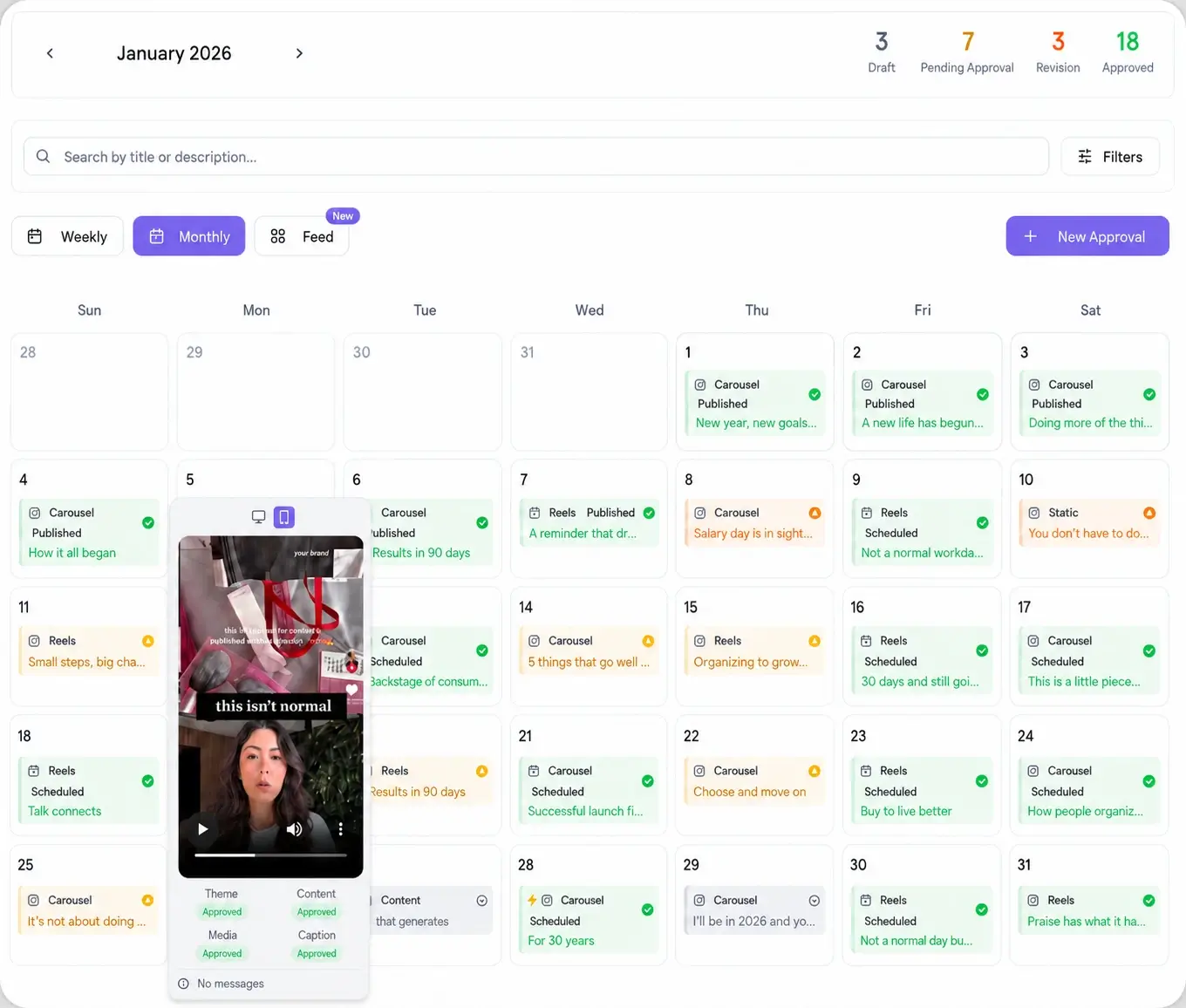
The fix is to adapt once and publish from one place. When the composer already knows each platform's format rules and the media lives in a single library, repurposing stops being five jobs and becomes one. That is the core of a good social media scheduler: one queue that speaks every network's format, not a browser full of tabs.
How to repurpose content across social platforms, step by step
Here is the repeatable loop. Run it once per core idea, per client.
- Pick the pillar asset. Choose the single strongest piece from the client's shoot or brief: the interview clip, the case-study stat, the founder's hot take.
- Map it to the right networks. List only the platforms where that client's audience actually is. Three native posts beat seven copy-pasted ones.
- Write the hook per platform. LinkedIn opens with a line of insight, TikTok with a pattern break, Pinterest with a searchable keyword. The body idea stays; the first line changes.
- Adapt the format. Set the aspect ratio, trim to each network's ideal length, and let AI content formatting reshape the caption for each platform.
- Batch it in one composer. Build every variant in a single view instead of five apps, then attach media from one shared library.
- Send one approval link. The client reviews the full set through a password-less link, approves per post, and never creates an account.
- Auto-schedule the approved set. Approved variants drop straight into the calendar at each platform's best time. No re-uploading.
Adapt, do not copy-paste: native formatting per network
The difference between repurposing and spamming is native fit. Same idea, different clothes. A caption that runs long on LinkedIn gets trimmed to a punchy line on X. A horizontal YouTube edit becomes a vertical Reel. Hashtags that help discovery on Instagram get cut on LinkedIn where they read as clutter. When the tool handles the reshape, your team spends its time on the hook and the idea, not on cropping.
This is where connecting every account in one place pays off. Viraly Post ships 10 native platform integrations, so one approved idea can go to Instagram, TikTok, LinkedIn, YouTube, Facebook, X, Threads, Pinterest, Bluesky, and Reddit from a single composer. You choose the mix per client, and each post publishes in that platform's native format.
Repurpose across clients and across time, not just platforms
Platform is one axis. The other two are clients and time. A strong format that lands for one client (a before-and-after, a myth-versus-fact, a quick tip) is a template you can rerun for the next client with fresh details. And a post that performed once can run again months later. Recycling your best evergreen content across client accounts turns your top performers into a standing queue, so slow production weeks still ship.
Repurposing across all three axes, platform, client, and time, is how a lean team keeps a dozen accounts full without a dozen production days. One idea, adapted with intent, does the work of many.