
The calendar in your head does not scale past three clients
You can keep two clients straight without writing much down. At five, the gaps show. A post ships a day late because it sat in a draft nobody approved. Two brands get the same caption because you were switching tabs. A client asks what is going out next week and you have to open four different tools to answer.
A real social media content calendar fixes all three problems at once. It puts every scheduled post in one view, tied to a client, a platform, and a time, so the plan lives somewhere other than your memory. Here is how to build one that holds up as you add accounts.
What is a social media content calendar?
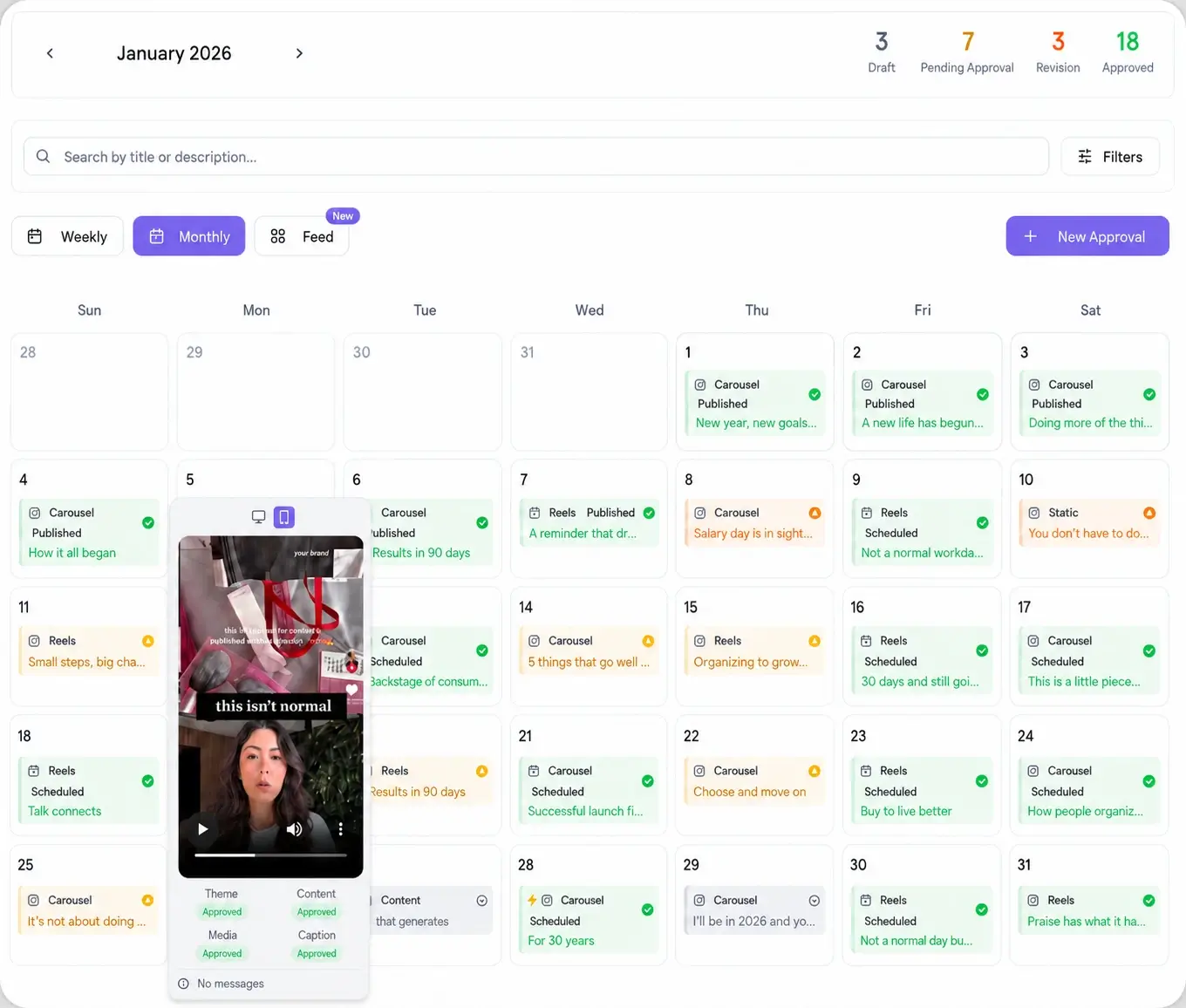
A social media content calendar is a single view of every post you plan to publish, organized by date. Each entry names the client, the platform, the publish time, the caption, the asset, and the approval status. Think of it as the schedule of record: if it is not on the calendar, it is not shipping.
For an agency the calendar does double duty. It is your production plan and it is the artifact you share with clients so they can see the month ahead. That is why the tool you build it in matters more than the format. A spreadsheet holds the plan but cannot publish it. A content calendar built into a scheduler holds the plan and pushes the posts live at the set time, so you are not copying rows into a second app.
How to build a social media content calendar in 7 steps
Build it once as a repeatable process, then run the same loop every month for every client.
- Pick the platforms per client. Match each brand to the networks it actually uses, from Instagram and TikTok to LinkedIn, and connect them through your platform integrations so the calendar can publish natively.
- Set a monthly theme. Give the client one direction for the month (a launch, a season, a campaign) so individual posts ladder up to something instead of floating.
- Define post buckets. Decide the recurring types (educational, promo, social proof, behind the scenes) and roughly how many of each per week. Buckets remove the blank-page problem.
- Batch the content. Write and design a full week or month in one sitting per client. Batching beats making one post at a time because you stay in the same voice and context.
- Slot posts into the calendar. Drop each post onto a date and time. Use best time to post data so you place them when that audience is active, not whenever you happen to be working.
- Send it for approval. Route the week to the client on one link, collect edits, and mark posts approved. This is the step that usually breaks a calendar, so it gets its own section below.
- Let approved posts auto-schedule. Once a post is approved it publishes at its set time with no further touch. Your calendar becomes a queue that runs itself.
How far ahead should you plan the calendar?
Plan themes a month out and lock exact posts one to two weeks ahead. The monthly view keeps you and the client aligned on direction and makes the workload visible before it lands on you. The shorter locking window keeps posts current enough to react to a trend, a news moment, or a client request without rewriting a month of work.
That two-layer rhythm is the whole trick. A calendar planned only a week out feels reactive and clients cannot see where things are going. A calendar locked a full month out goes stale the moment something changes. Keep the horizon long and the commitment short.
How to run one calendar per client without the chaos
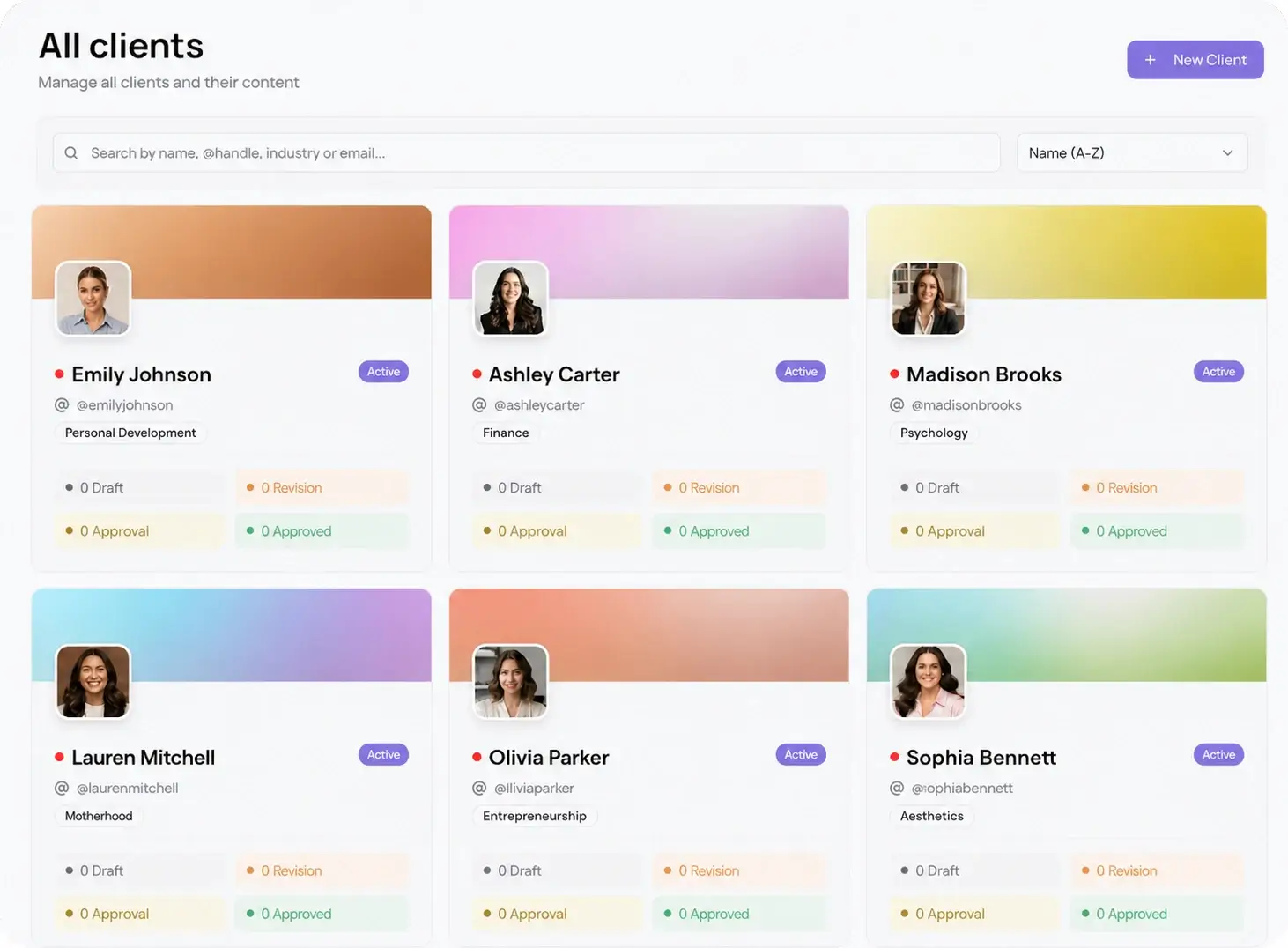
The failure mode at scale is not planning, it is bleed between accounts: the wrong asset on the wrong brand, a caption meant for one client posted to another. The fix is isolation. Give every client a separate workspace so their calendar, assets, and approvals never touch another account. In Viraly Post each client gets a per-client workspace through multi-client management, so switching from one brand to the next never risks posting to the wrong feed.
Isolated workspaces also make delegation safe. A team member can own one client's calendar end to end without seeing the rest of the roster, and you still get a single place to check what ships across every account this week.
Where client approvals fit in the calendar
A calendar full of unapproved posts is not a schedule, it is a wish list. Approval is the gate between planned and live, and it is where most agency calendars stall. The old way is a thread of screenshots and a client who logs in late or not at all.
Build approval into the calendar instead. Share a read-only view so the client sees the month, then send a password-less link for the posts that need sign-off. They open it, review, and approve with no account and no login. Approved posts move straight to scheduled through the approval workflow, and anything they flag stays a draft until you fix it. The calendar and the approval live in the same place, so nothing gets lost between a chat app and your scheduler.