
Scheduling one post at a time does not scale past three clients
You open a tab, write a caption, pick a time, hit save. Then you do it again. And again. By client four, that loop eats the better part of a day, and half of it is context switching between accounts. The work is not hard. It is just repeated hundreds of times a month, and every repeat is a chance to post the wrong thing to the wrong account.
Bulk scheduling fixes the volume problem. Doing it across many client accounts at once is where most tools fall down, because they were built for one brand, not for an agency juggling ten. The difference is workflow, not features.
What does it mean to bulk schedule posts for multiple clients?
Bulk scheduling means queuing a large batch of posts in one sitting instead of publishing them individually. Across multiple clients, it adds one rule: every post stays inside the right client workspace, so a caption for a dental practice never lands on a restaurant's feed. You draft the month, set the times, and the calendar publishes on schedule without you touching it again.
The payoff is time and consistency. A social media scheduler built for this lets you plan weeks ahead, keep a steady cadence for every account, and free your week for strategy and reporting instead of copy-paste.
Set up a workspace for each client first
Before you batch anything, separate your clients. A workspace per client keeps posts, calendars, media, and approvals from bleeding into each other. It is the single control that prevents the worst agency mistake: the cross-post that goes to the wrong account and costs you the retainer.
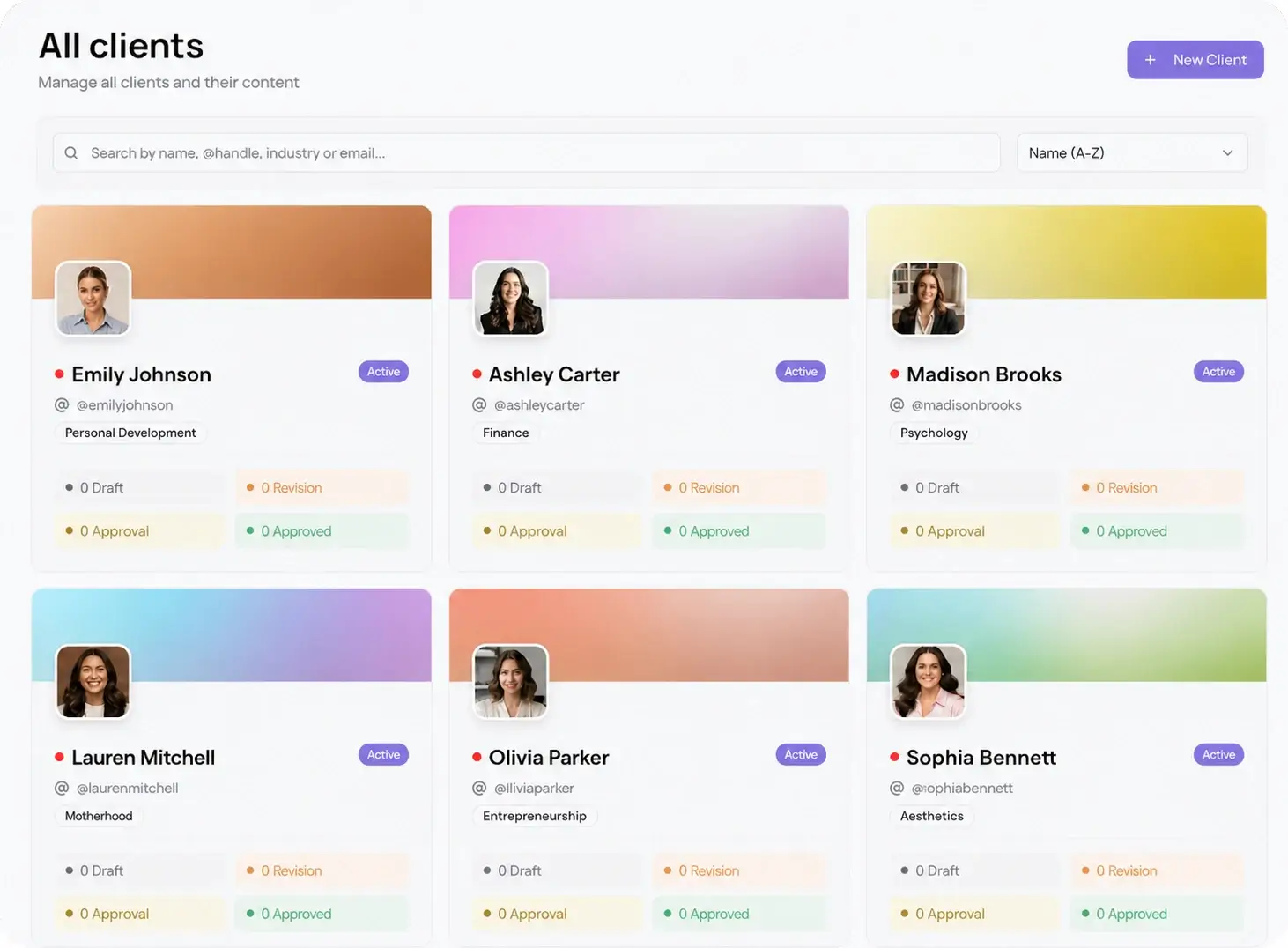
With multi-client management, you switch between accounts from one login instead of logging in and out of separate tools. Per-workspace pricing matters here too. You pay by client, not per channel, so bulk scheduling to 10 platforms for one client does not multiply your bill.
How to bulk schedule social media posts for multiple clients
Here is the repeatable sequence. Run it once per client at the start of each month and the rest of the month runs itself.
- Open the client's workspace and pull up the month view so you are planning against real dates, not a blank box.
- Draft the month in one session. Write every caption, drop in the media, and tag the platforms for each post while you are in the flow.
- Assign a date and time to each post. Use the same posting windows across the month so the cadence stays even.
- Reformat each idea for the networks it targets, so a single concept ships as native posts instead of one caption copied everywhere.
- Send the full batch for client review on one link, then let approved posts auto-publish to all 10 platforms.
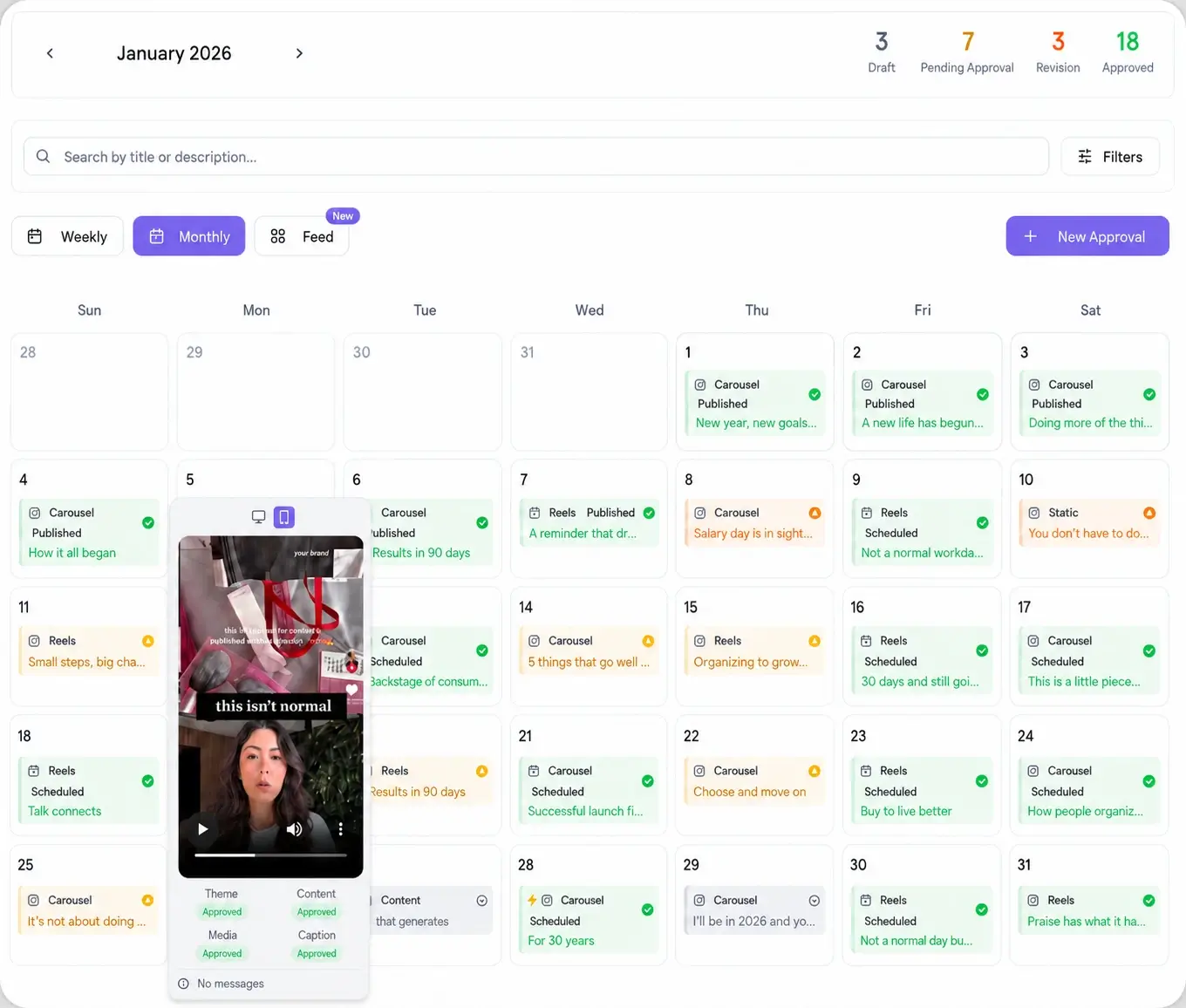
Planning against the content calendar instead of a flat list is what makes bulk work readable. You see gaps, overlaps, and the balance of formats at a glance, and you catch a thin week before the client does.
Keep client approvals inside the bulk workflow
Bulk scheduling saves nothing if approvals turn into a week of email threads. The fix is to send the whole batch at once on a single password-less link. The client opens it, reviews every queued post in order, and approves or comments per item. No account to create, no password to reset, no PDF exports.
Approved posts drop straight back into their scheduled slots and publish on time. With a password-less approval workflow, the review step becomes part of the batch instead of a bottleneck after it, and revision rounds shrink because the client sees the full month in context.
Batch once, publish everywhere native
The last lever is platform reach. A bulk workflow is most valuable when one planning session feeds every network a client is on, not just the two you have time for. From a single composer you send to Instagram, TikTok, LinkedIn, YouTube, Facebook, X, Threads, Pinterest, Bluesky, and Reddit.
Viraly Post posts to all 10 in 15 seconds, and you connect every client account from the same place. Browse the full list of native integrations to see which networks each client needs before you batch.