
The holiday rush happens in your planning window, not in December
By the time the first sale lands, your clients are distracted. They are closing out their own year, taking time off, and answering half their email. That is exactly when agencies need posts approved and queued, and it is the worst possible time to go asking for sign-off.
So the real holiday deadline is not December 1. It is the day you lock the calendar and get it approved. Miss that, and you spend the season chasing replies instead of running campaigns. Plan it right, and every client account posts on time while you watch from the dashboard.
Why agencies plan holiday content six to twelve weeks out
A holiday calendar is the full run of seasonal posts for one client, mapped to specific dates and built before the season starts. For the late-year stretch, that work belongs in October and early November. The lead time is not padding. It covers four things that each take real days: picking the right holidays, writing and designing the posts, getting client approval, and fixing whatever comes back.
When you manage one client, you can improvise. When you manage eight, improvising in December means something slips. The calendar is how you turn a stressful month into a week of planning you control. Build it once per client, store it in a per-client workspace, and the season runs itself.
How to choose which holidays each client should post
Not every client should post on every holiday. A B2B software account has no reason to greet its audience on a national food day. A retail brand does. Start from the client's audience and offer, then pick three or four dates that give you something real to say.
Sort each candidate date into one of three buckets. Revenue holidays tie to a promotion, a sale, or a launch, and they get a full teaser-to-reveal sequence. Brand holidays let the client show personality with a greeting or a behind-the-scenes post. Skip holidays look relevant but have no angle, so leave them off. Keeping each client in its own workspace through multi-client management means these choices never bleed across accounts, and a retail client's Black Friday run never lands on a law firm by mistake.
How to build the holiday calendar, step by step
Work one client at a time, and build backward from each key date so nothing publishes late.
- List the client's three or four holidays and the exact publish date for each.
- For every revenue holiday, work back from the date: a teaser one week out, a reveal two days out, then a launch-day post. For brand holidays, plan a single post.
- Draft all the copy and gather the assets in one sitting per client, so you are in that brand's voice the whole time.
- Drop every post onto the content calendar in that client's workspace, set to its own time zone.
- Scan the month view for gaps and pileups, then space posts so no single week carries the whole season.
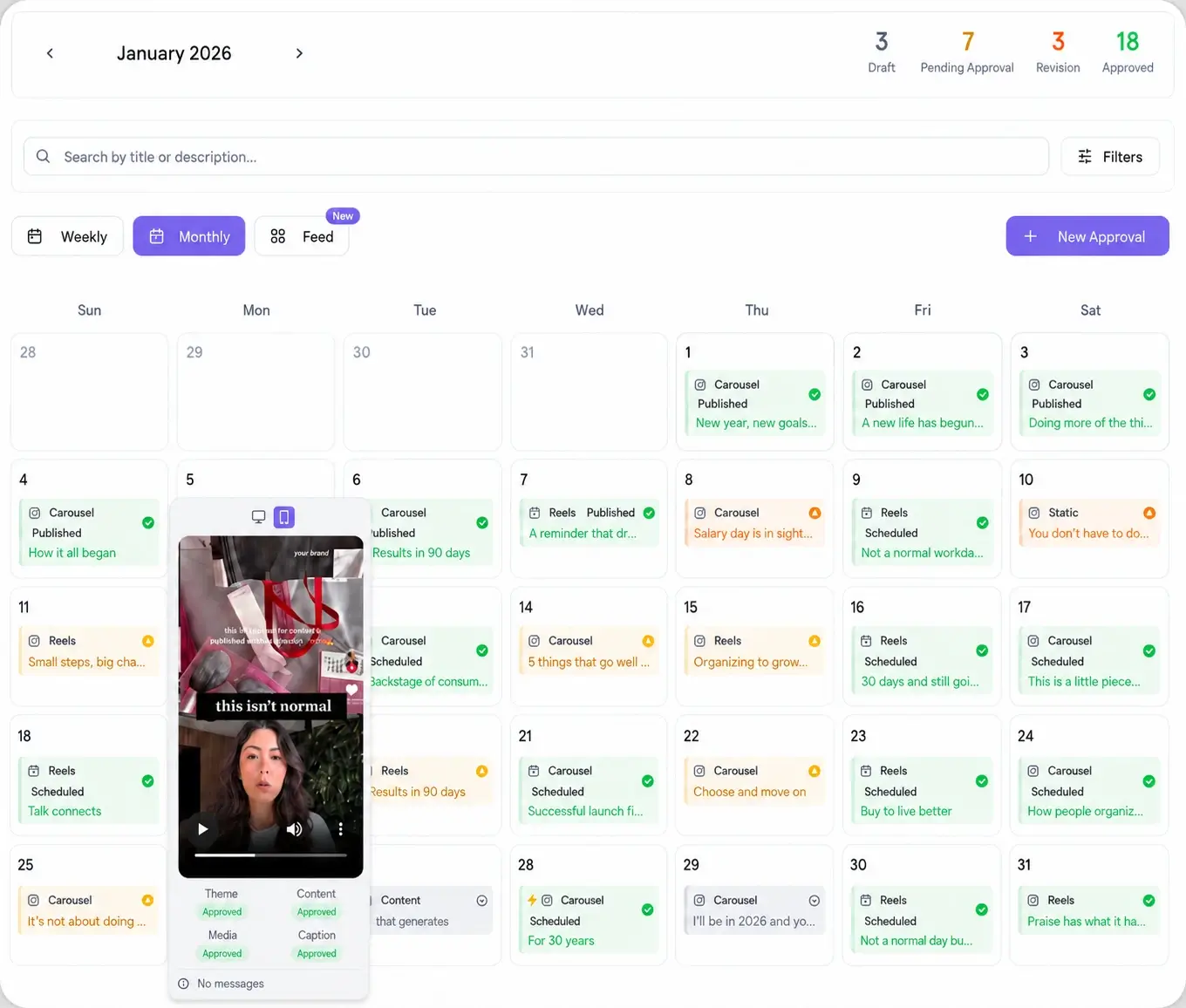
How to get holiday posts approved before clients go quiet
This is where holiday calendars die. You built eight weeks of posts, the client vanishes for the break, and half the run is stuck waiting on a yes. The fix is to approve the whole batch in one pass, before the quiet period starts.
Send the full holiday run as one password-less approval link. The client opens it on their phone, with no login and no account to set up, reviews every post in sequence, and approves or comments per post. You collect every edit in a single round instead of a dozen scattered emails. Approved posts carry a publish lock until sign-off, so nothing goes live before the client has seen it.

How to schedule approved holiday posts across every platform
Once a client signs off, the posts are ready to queue. From one composer you push the approved run to all 10 platforms in 15 seconds, so a single holiday message reaches Instagram, TikTok, LinkedIn, Facebook, and the rest without rebuilding it per network. See every connection on the integrations page.
If a client wants to watch the plan without touching it, share a read-only calendar link. They see what is coming and when, you keep control of the schedule, and the season plays out exactly as approved.