
The format that earns reach is the one agencies skip
LinkedIn document posts pull some of the best organic reach on the platform. The swipe keeps a reader on the post, which tells the feed to show it to more people. Your B2B clients want them. Yet most agencies still treat them as a one-off, built by hand in a design tool, exported, and uploaded through the native composer one client at a time.
That works for one account. Run eight or twelve B2B clients and it falls apart. You export a PDF, log into the right company account, upload, write the caption, and hope you did not just publish a law firm's deck to a SaaS client. The format is worth the effort. Doing it account by account is not.
What is a LinkedIn document post?
A LinkedIn document post is a multi-page PDF uploaded straight to the feed, shown as a swipeable document that readers page through without leaving LinkedIn. People sometimes call it a LinkedIn carousel, but it is not an image carousel like the one on Instagram. It is a single PDF file rendered as pages, and it works on both personal profiles and company accounts.
Because it is a PDF, the design lives outside LinkedIn. You build the pages in your tool of choice, export one file, and that file is the post. The caption sits above it the same way it would on any other update. That separation between the asset and the caption is exactly why the format needs its own handling when you scale it across clients.
Why LinkedIn document posts need their own scheduling pass
A text update is a caption. A document post is a caption plus a built file, and the file carries the weight. The first page has to stop the scroll, the pages in the middle have to keep the swipe going, and the last page usually carries the call to action. Review that as a PDF, not as a line of copy, or the thing that makes the format work gets lost.
This is why you schedule document posts as their own batch rather than folding them into the weekly text queue. Keep the PDF, the caption, and the publish time together for each client, and plan them where you can see the whole month. A LinkedIn scheduler built for agencies holds the file and the caption as one scheduled post per client account, so nothing ships half-finished.
Set up one workspace per client
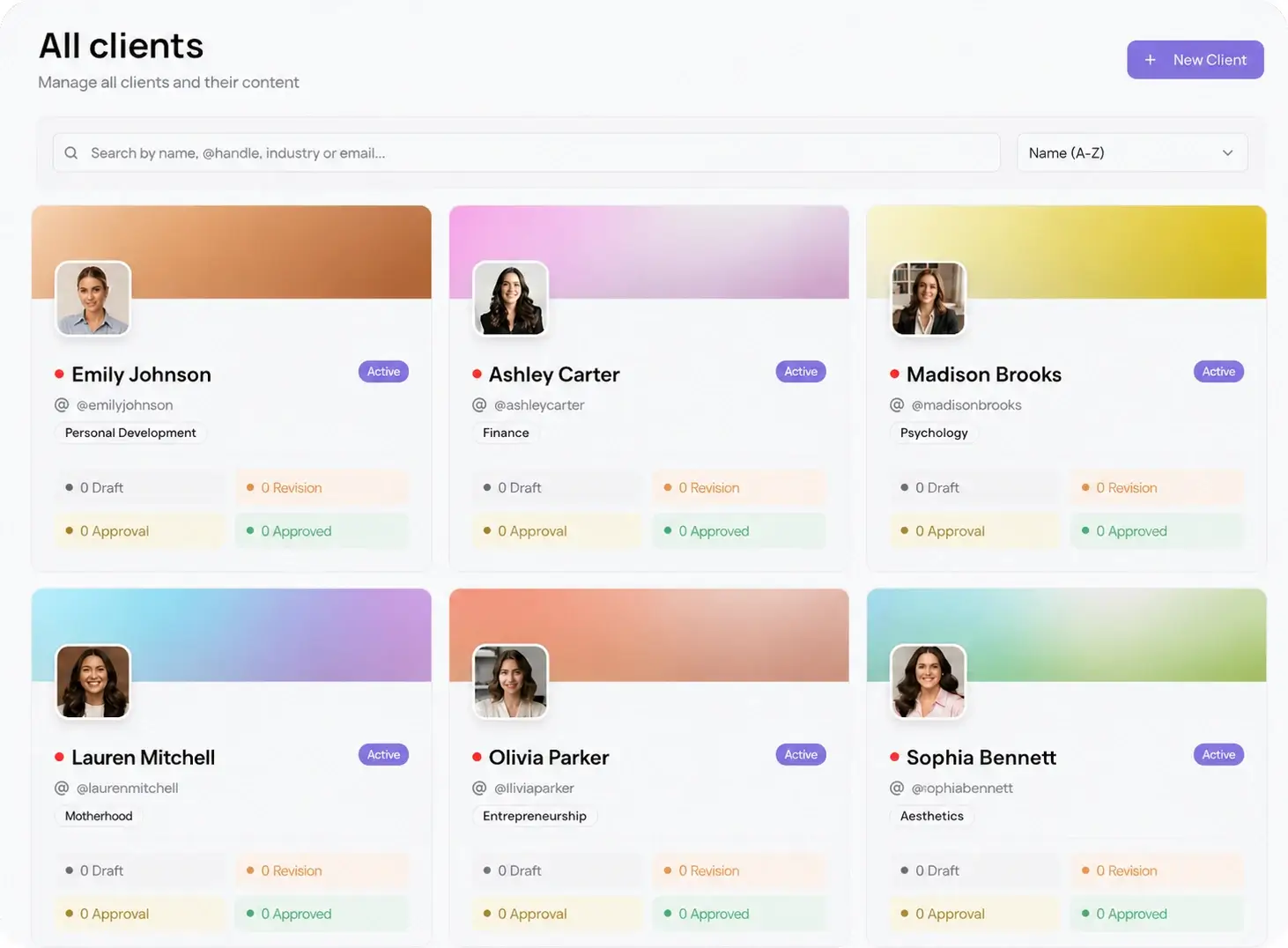
The fix for mixed-up accounts is isolation. Each client gets its own workspace, with its own connected LinkedIn account, its own PDF library, and its own schedule. Nothing bleeds between clients, so a document post built for one brand can never publish to another. Open a workspace and you see that client, and only that client.
That is the gap between running two accounts and running twenty. With per-client workspaces, adding a new client is a setup step, not a new way to publish to the wrong feed. You build inside the workspace, the schedule stays local to that account, and your team always knows which brand they are working in.
How to schedule LinkedIn document posts for multiple clients
Once every client has a workspace, the monthly batch runs the same way each time. Follow these steps per client:
- Open the client's workspace and upload the finished PDFs for the period you are planning, one batch per account.
- Write each caption with a hook in the first two lines, since that is all a reader sees before the swipe starts. Put links in the comments, not over the document.
- Set the publish date and time for each post. Use best time to post data to land them in that account's weekday B2B windows.
- Send the full batch to the client as one password-less approval link. No login, no account to create.
- When the client approves, the posts auto-schedule and publish to the account on their own. Move to the next workspace.
The batch is the part that saves the hours. You are not uploading twelve PDFs by hand across twelve tabs. You plan a month per client, approve it in one pass, and let the schedule run.
Get every document post approved before it goes live
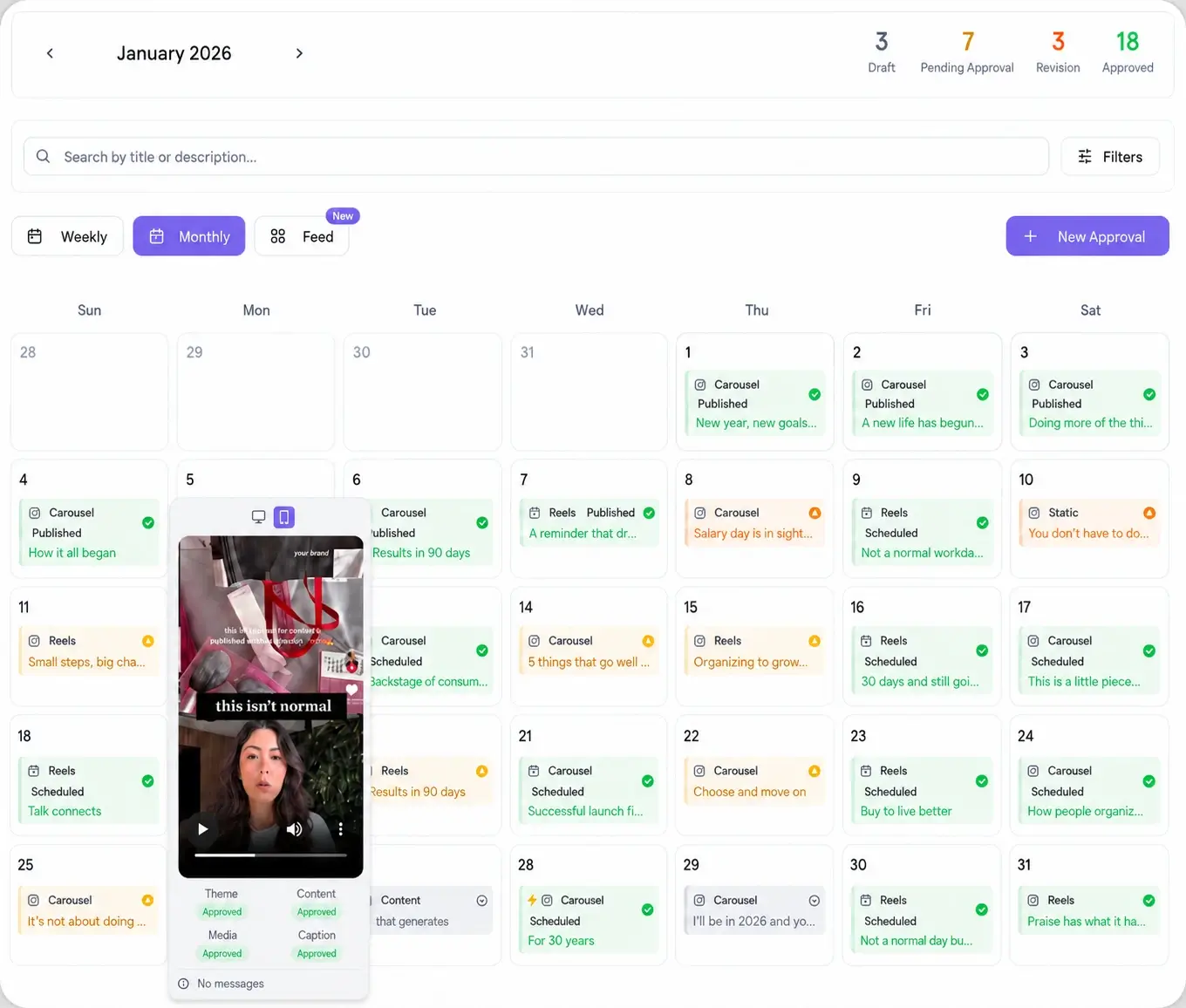
A document post is where a late edit stings, because the fix lives in the PDF, not the caption. A client reads page three, wants a stat changed or a slide dropped, and the request lands in email after you already uploaded. Make the review easy and it happens before publish, not after.
Send the whole batch as one link. The client opens it on a phone or a laptop, swipes through each document, and approves or leaves a comment on the exact post, with no LinkedIn login and no account to set up. Approved posts lock to the schedule. Nothing publishes to a client account until that client has signed off, which keeps the work on brand and keeps the edits out of your inbox.
Schedule the post alongside nine other platforms
A document post rarely stands alone. The same idea usually belongs on the client's other channels, adapted per network: a text breakdown, an image version, a short video walking through the pages. Rather than rebuild the plan four times, schedule the whole mix from one workspace. Viraly Post connects to 10 platforms and posts to all of them in 15 seconds, so the LinkedIn document post and everything around it ship from one batch instead of one tab at a time.